

Introduction
In today’s competitive digital landscape, having a website is not enough — how users experience your website determines whether they stay, engage, or leave. User Experience (UX) plays a major role in building trust, improving conversions, and supporting long-term business growth. As user expectations continue to evolve in 2026, businesses must focus on creating websites that are fast, intuitive, and easy to navigate.
In this blog, we’ll explore seven practical tips to improve your website’s user experience and ensure your visitors have a smooth, engaging journey from the moment they land on your site.
What Is User Experience (UX)?
User Experience (UX) refers to how users interact with your website — including navigation, layout, speed, readability, and overall usability. A strong UX makes it easy for visitors to find information, understand your message, and take action. Poor UX, on the other hand, leads to frustration, higher bounce rates, and lost opportunities.
Search engines also value good UX. Websites that load faster, work well on mobile devices, and provide helpful content are more likely to rank higher in search results.

1. Improve Website Speed
Website speed is one of the most important UX factors. Users expect pages to load in seconds, and even small delays can cause visitors to abandon your site. Slow websites not only frustrate users but also negatively affect SEO rankings.
To improve speed:
- Compress and optimize images
- Reduce unnecessary scripts and plugins
- Use browser caching
- Choose reliable hosting
A fast-loading website keeps users engaged and encourages them to explore more pages.
2. Design for Mobile First
With most users browsing on smartphones, mobile-first design is no longer optional. Your website should look and function perfectly on all screen sizes. Text should be readable without zooming, buttons should be easy to tap, and navigation should be simple.
Mobile-friendly websites provide a better experience, improve accessibility, and perform better in search engine rankings.
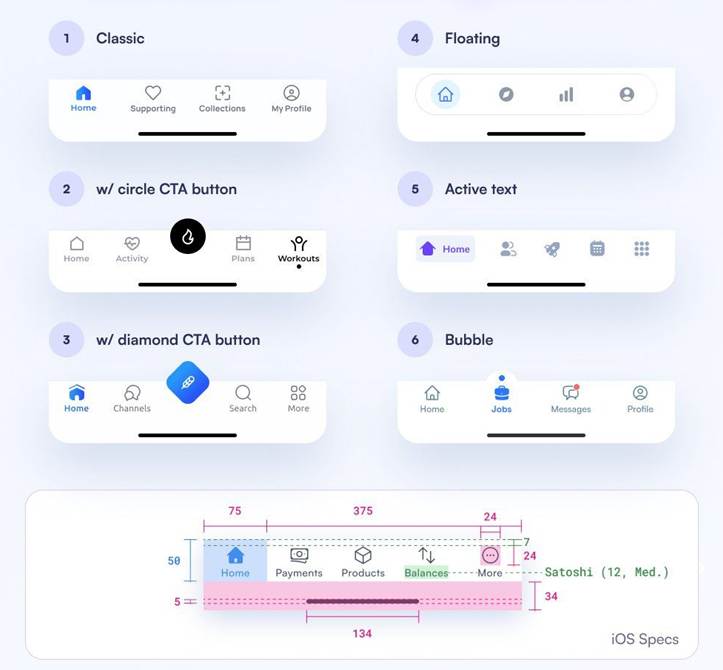
3. Keep Navigation Simple and Clear
Visitors should be able to find what they’re looking for quickly. Confusing menus and cluttered navigation lead to frustration and high bounce rates.
Best practices for navigation include:
- Clear menu labels
- Logical page structure
- Minimal menu items
- Easy access to key pages
A simple navigation structure helps users move smoothly through your site and reach important content effortlessly.
4. Focus on High-Quality Content
Content is a core part of user experience. Your website content should be clear, relevant, and easy to understand. Avoid long blocks of text and instead use headings, short paragraphs, and bullet points.
- High-quality content helps users:
- Understand your services
- Trust your expertise
- Make informed decisions
Well-structured content keeps visitors engaged and encourages them to stay longer on your site.
5. Maintain Visual Consistency
Consistent design builds trust and professionalism. Using the same fonts, colors, spacing, and design elements across your website creates a cohesive experience.
Inconsistent visuals can confuse users and make your site feel unprofessional. A clean, unified design helps guide users naturally through your content and reinforces your brand identity.
6. Reduce Clutter and Distractions
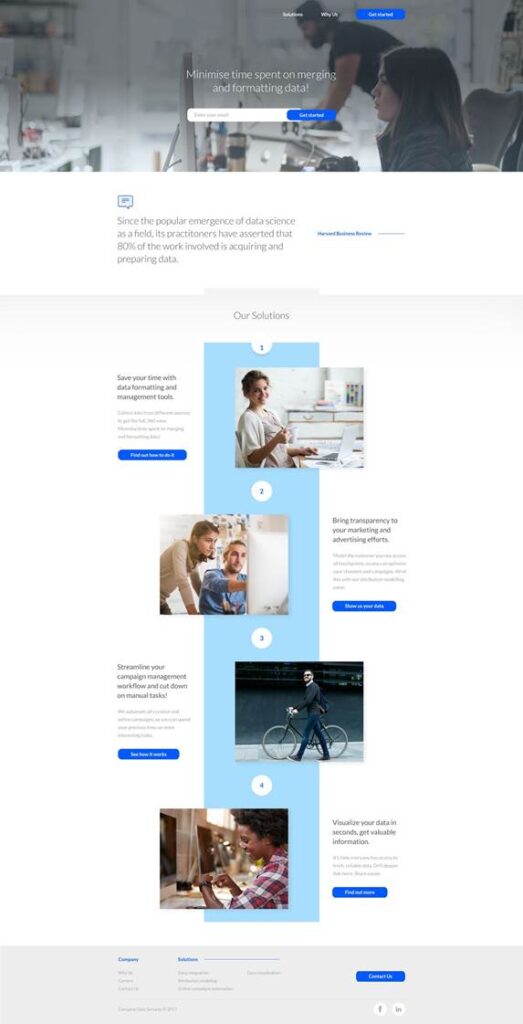
Too much information on one page can overwhelm users.
To reduce clutter:
- Keep layouts clean and spacious
- Remove unnecessary elements
- Focus on one main goal per page
- Minimal, focused designs improve readability and make it easier for users to take action.
7. Use Clear and Strong CTAs
Calls-to-action guide users on what to do next. Without clear CTAs, visitors may leave your site without taking any meaningful action.
Effective CTAs are:
- Easy to spot
- Action-oriented (e.g., “Get a Quote,” “Contact Us”)
- Placed strategically across the site
Strong CTAs help convert visitors into leads.
Final Thoughts
Improving user experience is one of the smartest investments you can make for your website in 2026. A fast, mobile-friendly, easy-to-navigate website with clear content and strong CTAs creates a positive impression and drives real business results.
Ready to improve your website’s user experience?
Contact Experts Bay today
At Experts Bay, we design and optimize websites with user experience at the core — helping businesses attract visitors, build trust, and convert traffic into growth.
📧 Email: info@expertsbay.com
🌐 Website: www.expertsbay.com
Let’s build a website that works for your business — not just looks good.